BACK01.SCR-BACK17.SCR: Difference between revisions
m categorizing |
→Images: rerouted link to point to the thing it refers to |
||
| Line 6: | Line 6: | ||
Image:BACK01SCR.png|<b>BACK01.SCR</b>: Basically, this is the primary background screen used throughout the game. From loading to end-of-mission, it is used practically everywhere. | Image:BACK01SCR.png|<b>BACK01.SCR</b>: Basically, this is the primary background screen used throughout the game. From loading to end-of-mission, it is used practically everywhere. | ||
Image:BACK02SCR.png|<b>BACK02.SCR</b>: Background for [[soldier]] list in base menu. Is usually in either a red-orange or a purple palette. | Image:BACK02SCR.png|<b>BACK02.SCR</b>: Background for [[soldier]] list in base menu. Is usually in either a red-orange or a purple palette. | ||
Image:BACK03SCR.png|<b>BACK03.SCR</b>:Screen for detection of [[Terror Mission]]s. | Image:BACK03SCR.png|<b>BACK03.SCR</b>: Screen for detection of [[Terror Mission]]s. | ||
Image:BACK04SCR.png|<b>BACK04.SCR</b>: [[Base | Image:BACK04SCR.png|<b>BACK04.SCR</b>: [[Base Defence Systems|Base Defence]] screen usually in purple palette, and equip craft with items usually in red-orange. | ||
Image:BACK05SCR.png|<b>BACK05.SCR</b>: Background screen for [[research]]ing. Is also used in a purple palette for building facilities. | Image:BACK05SCR.png|<b>BACK05.SCR</b>: Background screen for [[research]]ing. Is also used in a purple palette for building facilities. | ||
Image:BACK06SCR.png|<b>BACK06.SCR</b>: Used only in viewing soldier statistics in the Base menu. | Image:BACK06SCR.png|<b>BACK06.SCR</b>: Used only in viewing soldier statistics in the Base menu. | ||
Latest revision as of 09:46, 1 May 2015
General Information
Background images for use throughout the game, stored in the SCR format.
Images
- BACK01.SCR-BACK17.SCR GEOGRAPH Images
-
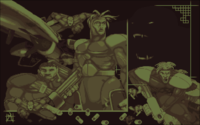 BACK01.SCR: Basically, this is the primary background screen used throughout the game. From loading to end-of-mission, it is used practically everywhere.
 -
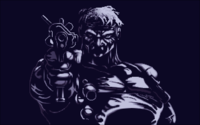 BACK02.SCR: Background for soldier list in base menu. Is usually in either a red-orange or a purple palette.
 -
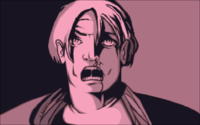 BACK03.SCR: Screen for detection of Terror Missions.
 -
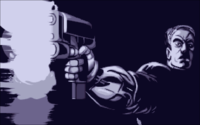 BACK04.SCR: Base Defence screen usually in purple palette, and equip craft with items usually in red-orange.
 -
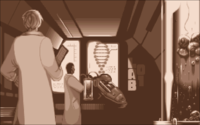 BACK05.SCR: Background screen for researching. Is also used in a purple palette for building facilities.
 -
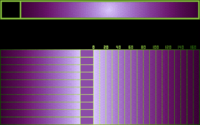 BACK06.SCR: Used only in viewing soldier statistics in the Base menu.
 -
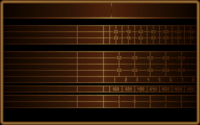 BACK07.SCR: Used only in the base information screen.
 -
 BACK08.SCR: Used for weapons and equipment UFOpaedia entries.
 -
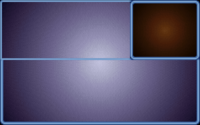 BACK09.SCR: Only used for base facilities entry in the UFOpaedia.
 -
 BACK10.SCR: Used for HWP and Alien research info in the UFOpaedia.
 -
 BACK11.SCR: Only used for UFO craft entries in the UFOpaedia.
 -
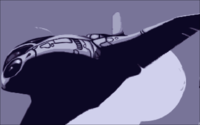 BACK12.SCR: Used in Launch Interception screen in a bluish-green palette.
 -
 BACK13.SCR: Another screen used lots of places: Transfer, Purchase/Recruit, Sell/Sack, Monthly Costs and Funding.
 -
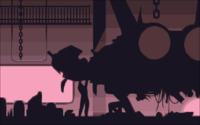 BACK14.SCR: Used for the Equip Craft screen in the Base menu in this palette and equip armor in bluish-green.
 -
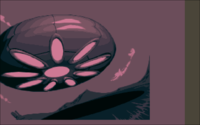 BACK15.SCR: Used in this color palette when attempting to land at a crash/landing site. Is also used in a dark blue palette for detection with normal radar and red-orange with the Hyper-wave Decoder.
 -
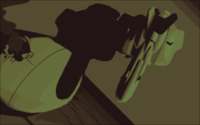 BACK16.SCR: Background screen for UFO crash and landing sites just before you enter the mission. Also in red-orange palette for terror sites and red in Cydonia.
 -
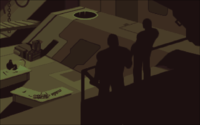 BACK17.SCR: Primary manufacturing screen in Base menu. Can occasionally be found in a purple palette.


